Foil Stamping vs Digital Foil: Setup, Coverage, and Short Runs
The practical difference between foil stamping and digital foil is setup. Traditional hot foil stamping uses a heated engraved die, foil and mechanical pressure. Digital foil replaces the image die with toner, electro-ink or a digitally applied polymer or adhesive, depending on the equipment. That usually makes digital foil easier to justify for short runs, prototypes and changing designs, while hot stamping remains the stronger choice when a die-formed or embossed result is central to the specification.
TLDR
Choose hot foil stamping when you need a physically embossed foil effect, established repeat production or a finish built around pressure and a dedicated die. Choose digital foil when you need low setup friction, short quantities, fast design changes or variable names and codes. Do not accept a quote labeled simply “digital foil.” Ask whether it is flat toner foil or raised polymer-based embellishment, because those processes produce different tactile and visual results.
Digital foil is a category, not one process
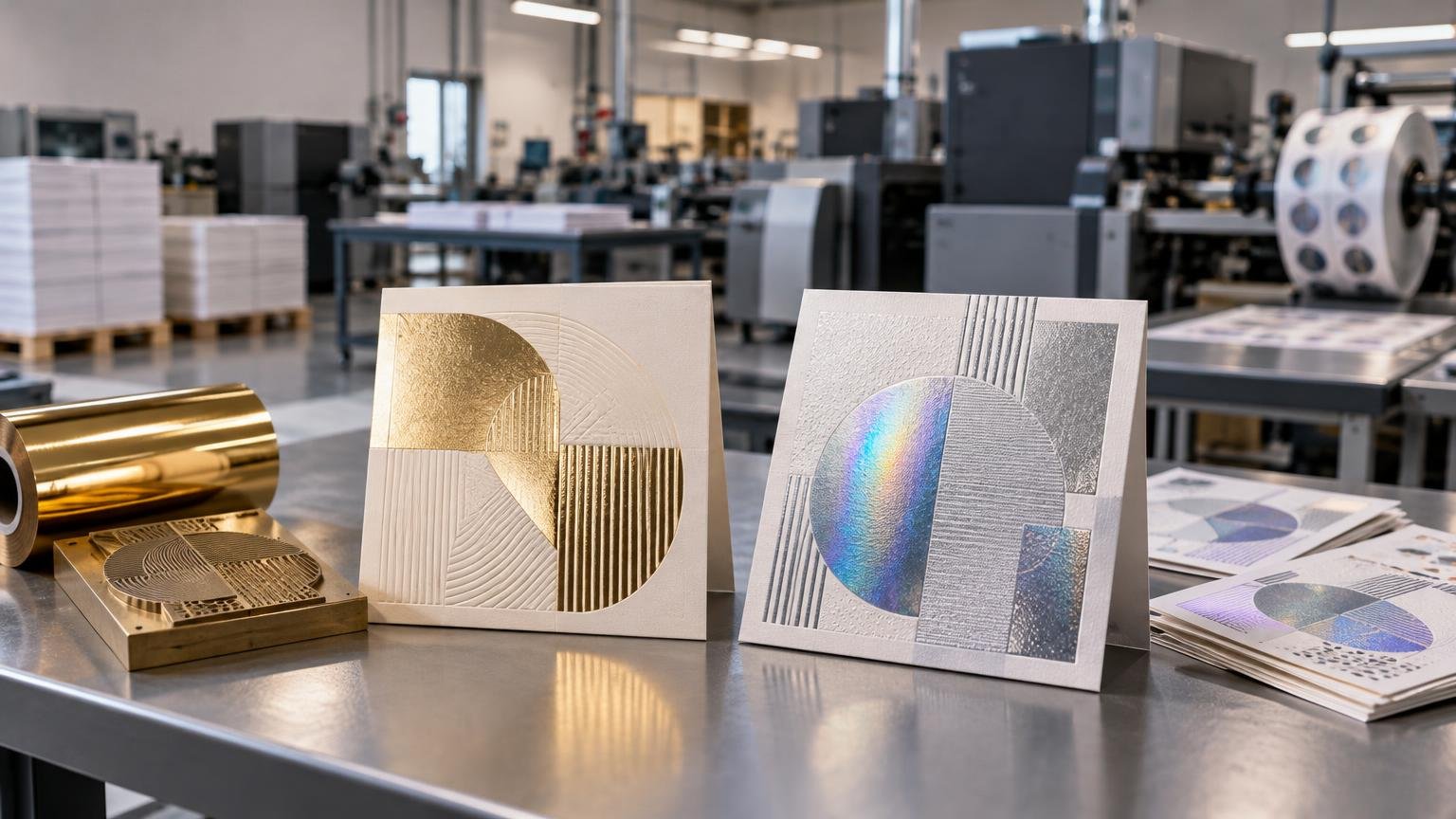
The term “digital foil” can describe several production systems. In a toner-reactive workflow, the shop prints a toner mask and then transfers foil to that image using heat and pressure. Other equipment places polymer or adhesive digitally before transferring foil. Toner foil is generally the flatter construction; polymer-based enhancement can produce a raised texture. The Foil & Specialty Effects Association’s digital-foil overview explains this distinction in more detail.
Hot foil stamping is more specific. An engraved die is heated and pressed against the foil and substrate, transferring the decorative layer in the die’s image. Because the tooling physically forms the image, it can also be designed to create embossed or three-dimensional foil effects. The KURZ hot-stamping guide covers the underlying heat, pressure, tooling and substrate considerations.
| Decision factor | Hot foil stamping | Digital foil |
|---|---|---|
| Image setup | Job-specific engraved die and press makeready | Digital toner, electro-ink, polymer or adhesive image; no dedicated image die |
| Texture | Can combine foil with die-formed embossed effects | Flat with toner systems; raised effects possible on supported polymer systems |
| Versioning | Artwork changes can require new tooling | Well suited to changing artwork and supported variable-data work |
| Short runs | Tooling cost must be spread across the quantity | Die-free setup can be easier to justify |
| Process definition | A defined heat-and-pressure stamping method | A category containing materially different workflows |
Setup cost changes the short-run calculation
Hot foil carries a structural setup cost: the die must be made, mounted and brought into register, and the press must be set for the selected stock and foil. That does not make hot stamping inherently expensive at every quantity. It means the fixed tooling and makeready cost has to be distributed across the run.
Compatible digital workflows eliminate die-making for the foiled image. That can remove both a production step and the wait for dedicated tooling, which is useful for samples, prototypes and small batches. However, no universal crossover quantity separates “digital” from “hot.” Sheet size, image area, foil colors, stock, finishing sequence, spoilage allowance and local equipment all affect the quote. Treat the choice as part of the complete print estimating calculation, not as a price-per-piece shortcut.
The same setup logic appears in other production decisions. The comparison between die cutting and digital cutting is similarly driven by tooling, quantity, throughput and versioning rather than by one process being universally cheaper.
Coverage affects more than foil consumption
Coverage includes the total foiled area, but geometry matters too. A small logo, a field of fine type and a broad solid panel can place different demands on transfer, registration and surface contact. Give the supplier artwork showing the actual image rather than requesting a quote based only on a percentage estimate.
Stock is equally important. Surface roughness and other substrate characteristics influence hot-stamping settings. In toner-foil production, Duplo says its system can process coated and uncoated digital papers but identifies coated sheets as the general preference when maximum shine is the goal. That is equipment-specific guidance, not a guarantee that every coated sheet will work on every foil machine.
Foil choice also changes the appearance. Hot-stamping materials include metallic, matte, pigmented, diffractive and holographic effects. Ask the printer to test the specified foil against the actual stock, especially when the design uses large solids, fine reverses, heavy texture or a critical brand color.
Multiple colors and overprinting need a production plan
A toner-foil job may require several passes: print the toner mask, transfer the foil and then print CMYK artwork. Additional foil colors can add more toner and transfer passes. Every pass creates another opportunity for handling, registration variation and spoilage, so a die-free process is not automatically a one-step process.
Overprinting is also system-dependent. Some toner workflows can receive CMYK after foiling, and some digital-transfer systems are specifically designed for overprintability. Confirm the sequence before approving artwork because “foil under color” and “foil over color” are not interchangeable instructions.
Digital foil has a clear advantage for variable work
Supported digital enhancement systems can change the foiled image from sheet to sheet. Names, numbers, codes and design versions can therefore become part of the foil layer rather than remaining static. That makes digital foil relevant to personalized certificates, tickets, direct mail and short-run invitation and stationery production.
Variable capability still requires disciplined data and proofing. Define which elements change, which stay fixed and how long or short values fit the design. The workflow principles used to plan variable-data direct mail also apply here: clean the data, constrain the variations and test edge cases before production.
What to send when requesting quotes
A useful comparison requires both suppliers to price the same finished job. Include the following information:
- Finished and flat sheet dimensions, plus total quantity
- Exact stock name, weight or thickness, color and surface finish
- Foil artwork separated from CMYK and supplied as vector shapes where requested
- Foil type, color and whether the desired result is flat, raised or embossed
- Approximate foil area and the number of distinct foil colors
- Whether foil must be printed over or receive printing afterward
- Number of versions and whether any foil elements change by recipient
- Proofing requirement, delivery date, packing and shipping destination
Also ask what the supplier means by digital foil, whether the quoted stock has been qualified on that equipment and how many production passes are planned. Follow the printer’s separation and naming instructions when preparing print-ready artwork; foil masks, embossing dies and CMYK art should not be left for the prepress operator to infer.
The right choice follows the finished effect
Start with the result, then evaluate setup. Specify hot foil stamping when physical die pressure, embossing or a traditional premium construction defines the piece. Specify digital foil when short quantity, personalization, prototypes or frequent artwork changes matter more than having a dedicated die.
For either route, approve the process rather than the label. Identify the equipment class, stock, foil, number of passes, overprinting sequence and required texture. That turns “foil stamping vs digital foil” from a vague finishing debate into a production specification a printer can quote and manufacture consistently.