Label Unwind Direction Explained for Machine Application
TLDR
Label unwind direction is the orientation of a label as it leaves a roll. It combines two details: which edge comes off first and whether the printed face is on the outside or inside of the roll. For machine application, get the required configuration from the equipment manual, line operator, or co-packer instead of relying solely on a generic unwind number.
With label unwind direction explained clearly, an ordering menu becomes much easier to interpret. Hold the artwork upright and identify whether its top, bottom, left, or right edge must lead into the machine. Then confirm whether the equipment needs the labels face-out or face-in. Those two choices produce eight common positions, but the position numbers are not universal across every printer and label supplier.
The distinction matters because an applicator follows a fixed media path. A roll with the wrong orientation can place labels sideways or upside down, present the liner incorrectly at the peel edge, or put the printed face on the wrong side of the web. Hand application is generally more forgiving because a person can rotate each label before placing it; Avery specifically identifies machine and dispenser use as the situations in which unwind direction becomes critical.
The two parts of label unwind direction
Unwind direction describes how labels are oriented as they come off the roll, including the leading edge and whether the labels are wound with their faces outside or inside. Always define the edges relative to upright, readable artwork—not relative to how the roll happens to be sitting on a desk.
1. The leading edge
The leading edge is the first edge of the individual label to reach the dispensing or printing point. Imagine looking straight at a finished label with its words and graphics upright. The leading edge can be:
- Top edge first: the top of the upright artwork leaves the roll first.
- Bottom edge first: the bottom of the artwork leaves first.
- Right edge first: the artwork’s right side leaves first.
- Left edge first: the artwork’s left side leaves first.
Do not substitute “narrow edge” or “long edge” unless the label is rectangular and everyone has agreed which physical edge that means. Top, bottom, left, and right tied to an approved artwork proof are less ambiguous.
2. Face-out versus face-in winding
On a face-out roll, also called outside-wound, the printed label faces are visible around the exterior of the roll. On a face-in or inside-wound roll, the printed faces point toward the core and the liner is visible on the exterior. HERMA distinguishes these as outer and inside winding and notes that the required arrangement depends on the printer or dispensing machine.
Face-in and face-out do not tell you the leading edge. A face-out roll could still feed top, bottom, left, or right edge first. A complete specification therefore needs both pieces of information.
What unwind numbers 1 through 8 commonly mean
Many converters use positions #1 through #8 as shorthand. The following chart reflects the mapping shown in TSC Printronix’s supplies catalog, pairing four leading-edge orientations with outside- and inside-wound rolls. See the manufacturer’s label-wind chart
| Position | Winding style | Leading edge |
|---|---|---|
| #1 | Face out / outside wound | Top first |
| #2 | Face out / outside wound | Bottom first |
| #3 | Face out / outside wound | Right first |
| #4 | Face out / outside wound | Left first |
| #5 | Face in / inside wound | Top first |
| #6 | Face in / inside wound | Bottom first |
| #7 | Face in / inside wound | Right first |
| #8 | Face in / inside wound | Left first |
Treat this as a translation aid, not a universal standard. Equipment manufacturers, label converters, and ordering systems can use different diagrams or numbering. If a supplier’s chart conflicts with the machine documentation, describe the requirement in words—such as “face out, right edge first”—and attach an artwork orientation diagram. The machine’s media path and the supplier’s production chart take precedence over a generic number.
Why machine application makes orientation critical
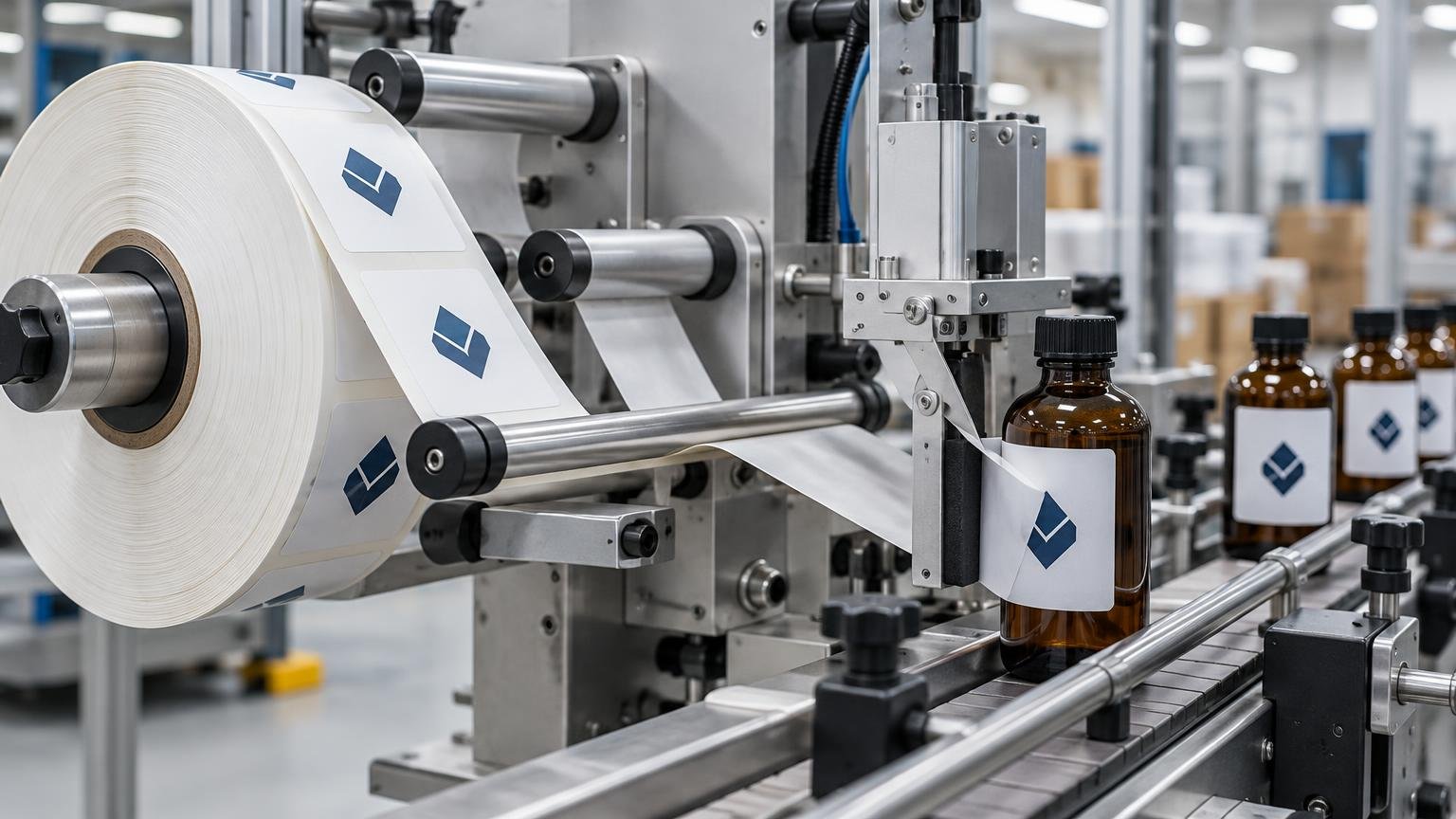
A pressure-sensitive applicator must carry the web through rollers, around a peel plate, and toward the application point in a controlled orientation. The complete process involves the label web, reel configuration, label gap, and applicator components—not just the printed label. The Labels & Labeling overview of label application provides useful process context for how those elements work together.
Suppose upright bottle artwork must approach the container top edge first. The roll has to present that edge correctly after following the actual machine path. A side-mounted applicator may instead require a side edge to lead so the text appears upright on a product moving along the conveyor. These examples explain the geometry, but neither establishes a universal position number. Mounting side, web path, product travel, and product orientation can all change the answer.
A thermal printer creates a similar compatibility requirement. The roll must load so the printable surface reaches the printhead and the sensor can detect the media correctly. Zebra publishes model-specific roll-loading instructions, illustrating why operators should follow the documentation for the exact printer rather than extrapolating from another model.
How to choose the correct unwind direction
The safest workflow begins at the machine and works backward to the label order. Do not choose an unwind position because it looks conventional or because it worked on a different production line.
- Find the exact equipment make and model. Use its manual, media-path diagram, or approved supplies guide to identify winding and leading-edge requirements.
- Ask the person running the line. A line operator, maintenance technician, or co-packer can confirm how the roll is mounted, where it unwinds, and which side of the product receives the label.
- Record product movement and artwork orientation. Note the product’s direction of travel, the applicator’s mounting side, and how the artwork must read on the finished package.
- Describe the direction in words and with a diagram. State both “face-in” or “face-out” and the required top, bottom, left, or right leading edge. Add the supplier’s position number only after checking its chart.
- Confirm all physical roll specifications. Include core inside diameter, maximum roll outside diameter, label dimensions, gap, liner, material, adhesive, and quantity per roll.
- Approve a representative proof or sample roll when the job, equipment, or supplier is new. A short production trial can reveal orientation, sensing, dispensing, and placement issues before the full run is committed.
If you are ordering through a co-packer, request its written label specification sheet. If no sheet exists, ask for a clear photo or short video showing a known-good roll mounted in the machine and feeding toward the peel point. Include a view of the printed artwork, core, roll exterior, and product travel direction.
When comparing quotes, carry these requirements into the estimate rather than treating them as finishing details. Core size, labels per roll, and roll count can affect converting, packing, changeovers, freight, and line efficiency. The same production logic used in commercial print estimating applies: the delivered configuration is part of the job, not an afterthought.
Unwind direction is only one part of roll compatibility
A correctly oriented roll can still be unusable if its physical construction does not fit the equipment. Verify the following specifications together:
- Core ID: the inside diameter of the cardboard or plastic core must fit the machine’s roll holder or mandrel.
- Maximum roll OD: the finished roll’s outside diameter must fit the available unwind space. This can limit how many labels go on each roll.
- Web width and label dimensions: the roll must fit the guides, while the label size must suit the dispensing and application hardware.
- Gap and pitch: the gap separates labels; pitch is the repeat distance from one label to the same point on the next. These affect sensor detection and feed timing.
- Liner and sensing: liner thickness, transparency, gap sensing, black marks, or notches may be relevant to the printer or applicator.
- Material and adhesive: the face stock and adhesive must suit the container, surface energy, moisture, temperature, and expected service conditions.
- Print compatibility: direct-thermal and thermal-transfer printers require compatible label constructions. Thermal-transfer jobs must also pair the face stock with a suitable ribbon.
- Labels per roll and splice policy: roll capacity influences changeover frequency, while some automated operations restrict where or whether web splices are accepted.
Model-specific limits can be strict. For example, Videojet publishes both a maximum unwind diameter and a 3-inch core requirement for its Labeljet 210; those specifications belong to that applicator and should not be generalized to other machines.
Artwork construction remains a separate issue as well. Transparent material may require a white ink layer to preserve opacity and color, as explained in our guide to white ink on clear labels. That production choice does not determine unwind direction, but it must still be resolved before the final roll is manufactured.
Common unwind mistakes and what they indicate
Labels apply sideways or upside down
The likely problem is a mismatch between the chosen leading edge and the artwork orientation expected at the application point. Confirm what “top” means on the approved proof and trace the web from the roll to the product. Rotating the artwork file may solve the issue for a future production run, but only if barcode direction, decoration, and other panels remain correct.
The printed face is on the wrong side of the web path
This usually indicates face-in versus face-out was specified incorrectly. Turning the entire roll around may change the direction in which it unwinds, but it can also put the web on the wrong side of guides, brakes, sensors, or the peel plate. Do not assume a reversed mounting is mechanically acceptable.
The roll does not fit even though the unwind number is correct
Check core ID and roll OD first. Unwind direction describes label orientation; it does not describe the hole through the roll or the roll’s finished diameter. Also verify web width and clearance around the unwind assembly.
The supplier’s chart and the machine chart disagree
Stop using the number as the primary description. Send the machine diagram, specify face-in or face-out, identify the leading edge relative to readable artwork, and ask the converter to map that requirement to its own production position. Written confirmation is more reliable than assuming everyone uses the same numbering system.
Frequently asked questions
Does unwind direction matter for hand-applied labels?
Usually much less. A person can remove and rotate an individual label before placement. Unwind may still affect dispensing convenience, especially when labels are used quickly from a tabletop dispenser, but it is rarely as restrictive as a fixed automated media path.
Can I reverse a roll if it is wound incorrectly?
Sometimes a manual dispenser permits a different mounting orientation, but many printers and applicators do not. Reversing a roll can change the printable side, liner path, sensor relationship, braking direction, and presentation at the peel edge. Check the manual or ask the equipment supplier before attempting it.
What should I ask a co-packer before ordering?
Request the equipment make and model, required unwind diagram, core ID, maximum roll OD, web width limits, label gap, liner or sensing requirement, labels per roll, application side, product travel direction, and finished artwork orientation. Ask whether front and back labels run from separate applicators or from a combined configuration.
Why might front and back container labels need different orientations?
They may be dispensed by machines mounted on opposite sides of a conveyor or by separate heads with different web paths. Even when both labels must read upright on the package, the required leading edges or winding styles can differ. Verify each label position independently.
Where should unwind information appear on an order?
Put it on the quote request, purchase order, artwork proof, and final production specification. Use descriptive wording plus the supplier-approved diagram. If you are still evaluating custom sticker and label options, keep machine-applied roll requirements separate from ordinary hand-applied sticker specifications.
Verify the machine before releasing the order
The practical rule is simple: identify the equipment first, then specify the roll. Confirm face-in or face-out winding, the leading edge relative to upright artwork, and the supplier’s matching position number. Complete the specification with core ID, maximum OD, label size, gap, liner, material, adhesive, and print method.
Before ordering machine-applied roll labels, send the converter the machine make and model plus a photo or video of the current label path. That small verification step is far less expensive than discovering after production that a perfectly printed roll approaches the package in the wrong direction.